Surface
Background
Main interface background
Light value
oklch(1 0 0)

Starting point
Reading documentation or following tutorials does not always make it easy to check whether you understand a concept or to practice it immediately. Explanations, questions, and coding exercises are often scattered across different places.
Vue Training explores how to bring those moments into one experience: read about a topic, answer questions with explanations, and apply it in a challenge. The learning path organizes the activities without requiring people to complete them in a fixed order.
Audience
Carla is a digital designer with experience in visual tools, but recently she has felt the need to learn frontend development so she can collaborate better with engineers and prototype her own ideas.
She has tried video courses, but feels there is a large gap between "watching someone code" and doing it herself. She is looking for a way to practice technical Vue concepts in an isolated and safe environment before applying them in larger projects.
I understand how the interface should look, but I get frustrated when I do not know how to bring it to life with code without feeling like I might break something.
Audience
Lucas has spent years working on the server side. He is experienced in logic, databases, and security. However, in his personal projects or startup ideas, he often depends on someone else to build the interface.
He decided to learn Vue 3 because he heard that the Composition API feels more logical and closer to the functional programming style he already knows. He does not have time for 10-hour tutorials; he needs to break things and see the code in action.
I do not need someone to teach me how to program. I need to understand Vue syntax and how it handles state so I can build the frontend for my APIs quickly.
Core decision
The learning path groups Vue topics into sections that connect a lesson, a quiz, and a challenge. This lets someone move from an explanation to a check of their understanding and then to a coding exercise without losing the context of the topic.
Quizzes and challenges also remain available in their own galleries for independent practice. Tips are a brief, complementary resource; they do not contribute to progress along the path.
Process
Relate each lesson to a quiz and a challenge on the same topic.
Show an explanation after each answer is checked, plus a review at the end of the quiz.
Bring instructions, files, a preview, and tests into the application for solving challenges.
Keep the learning path open and provide independent access to quizzes, challenges, and tips.
Features

The learning path organizes Vue topics and connects a lesson, a quiz, and a challenge for each one. It marks completed activities and saves that progress locally in the browser. There is no required order or account.
Features

After an answer is checked, the quiz shows whether it was correct, which option was expected, and why. When relevant, it includes code examples. At the end, it shows the result and lets people review the questions.
Features

Challenges let people consult instructions and the related lesson while working with the exercise files. The editor, preview, and tests share the same space, so they can change code and check the result without opening an external tool. Running tests depends on browser support for the required environment; otherwise, the application offers an alternative mode.
Visual system
Font family
Poppins
Poppins was chosen as the main typeface because of its clean, modern, and accessible appearance. Its geometric structure helps build a clear interface, especially across cards, filters, navigation, and short reading content.
The scale prioritizes quick scanning: titles with strong visual weight, comfortable descriptive text, and functional labels that support user navigation.
Display
Poppins Bold · 40/48
Aprende a tu ritmo
Heading
Poppins SemiBold · 24/32
Cursos recomendados
Body
Poppins Regular · 16/24
Contenido claro para explorar módulos, niveles y actividades.
Caption
Poppins Medium · 12/16
Nivel intermedio · 8 lecciones
Visual system
The palette is organized with semantic tokens based on shadcn-vue. Each color has a role within the interface: surfaces, text, actions, states, structure, and interaction.
The system supports both light and dark mode through the same visual roles, keeping consistency across components, cards, forms, and navigation states.
Light mode
Surface
Main interface background
Light value
oklch(1 0 0)
Text
Main text
Light value
oklch(0.1511 0.0178 224.4773)
Surface
Cards and containers
Light value
oklch(0.9751 0.0055 183.0314)
Surface
Floating menus and layered elements
Light value
oklch(0.9807 0.0084 225.0796)
Action
Primary actions and brand elements
Light value
oklch(0.815 0.1706 151.2684)
Action
Secondary actions
Light value
oklch(0.0577 0.0313 296.8468)
Neutral
Soft backgrounds and secondary content
Light value
oklch(0.9396 0.0202 229.0448)
Accent
Active states, hover states, and soft highlights
Light value
oklch(0.9192 0.0162 187.3124)
Feedback
Errors and destructive actions
Light value
oklch(0.5502 0.22 25.0385)
Structure
Borders and dividers
Light value
oklch(0.9477 0.0085 225.084)
Structure
Form fields
Light value
oklch(0.8794 0.0196 230.727)
Interaction
Visible focus and interaction
Light value
oklch(0.6126 0.1866 252.6519)
Dark mode
Surface
Main interface background
Dark value
oklch(0.2077 0.0398 265.7549)
Text
Main text
Dark value
oklch(0.9205 0.0086 225.0879)
Surface
Cards and containers
Dark value
oklch(0.2513 0.0395 268.7473)
Surface
Floating menus and layered elements
Dark value
oklch(0.1802 0.0325 266.6248)
Action
Primary actions and brand elements
Dark value
oklch(0.815 0.1706 151.2684)
Action
Secondary actions
Dark value
oklch(0.9067 0 0)
Neutral
Soft backgrounds and secondary content
Dark value
oklch(0.1394 0.0106 220.3811)
Accent
Active states, hover states, and soft highlights
Dark value
oklch(0.2552 0.0415 267.5355)
Feedback
Errors and destructive actions
Dark value
oklch(0.5679 0.2323 28.2503)
Structure
Borders and dividers
Dark value
oklch(0.2824 0.0229 224.7083)
Structure
Form fields
Dark value
oklch(0.3338 0.0293 220.7787)
Interaction
Visible focus and interaction
Dark value
oklch(0.6126 0.1866 252.6519)
Interface
The landing page introduces Vue Training and invites visitors to start practicing.
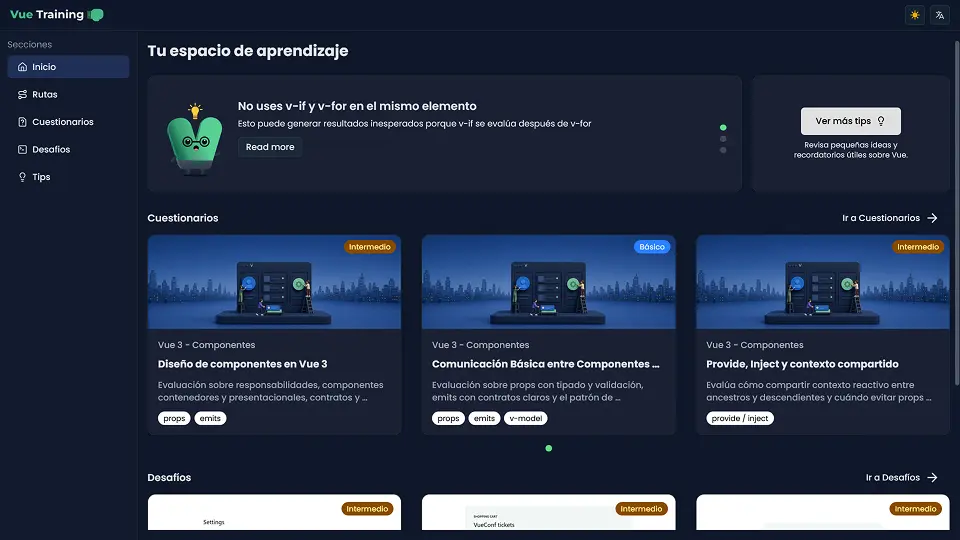
The home page brings together the learning path, quizzes, challenges, and featured tips.
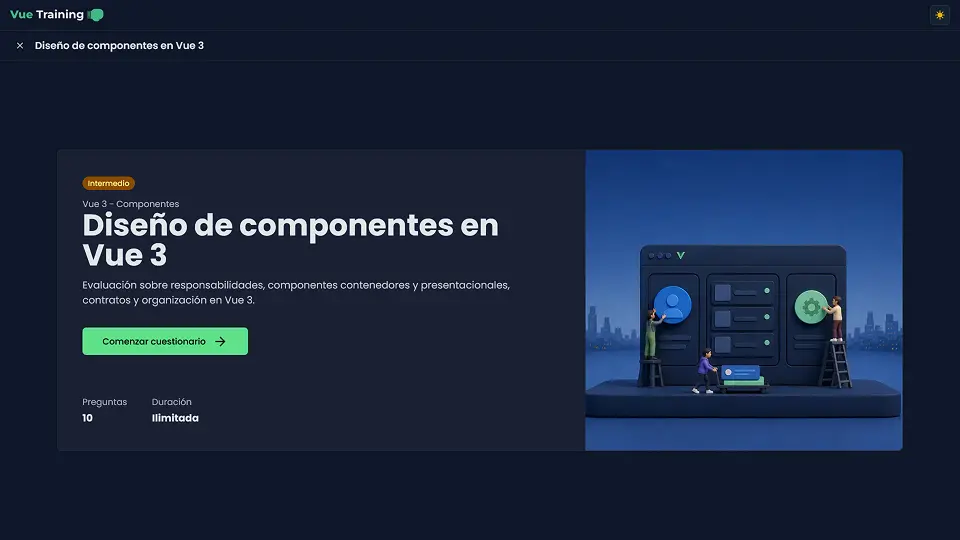
View for starting a quiz.
View shown while quiz data is being loaded.
View of a quiz in progress.
Modal that provides a detailed explanation of the correct answer after answering a question.
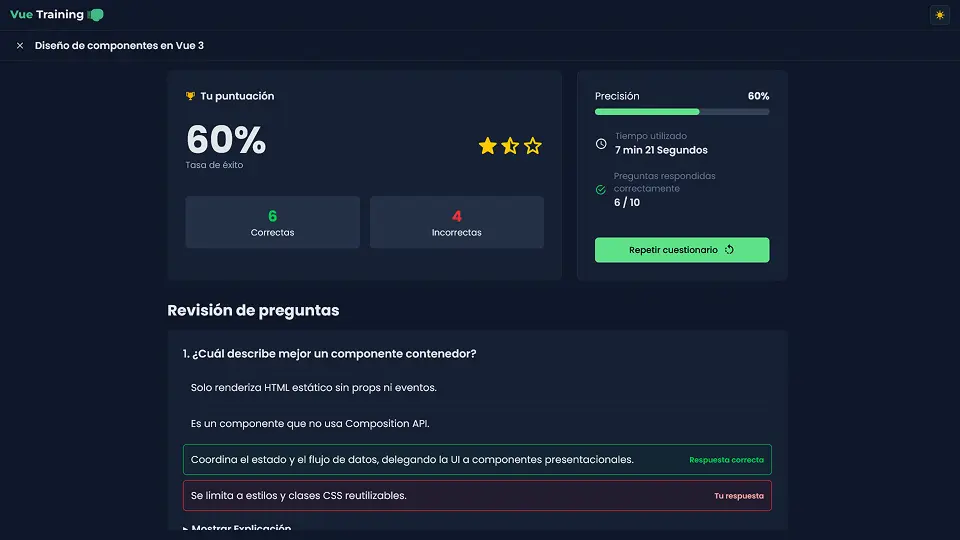
View that shows the results after completing a quiz.
The challenge combines instructions, files, an editor, a terminal, and access to the preview and tests.
Tips can be selected from the list or shown at random; each includes an explanation, examples, and its source.
Final reflections
Vue Training began as a collection of activities and evolved into a path that connects explanations, understanding checks, and practice. That shift made me think less about each screen in isolation and more about how someone keeps their context when moving from one activity to another.
Integrating the challenges presented a different design problem: bringing instructions, code, a preview, and test results together without making the interface difficult to follow. The project is still in development, especially the review and expansion of its content.